


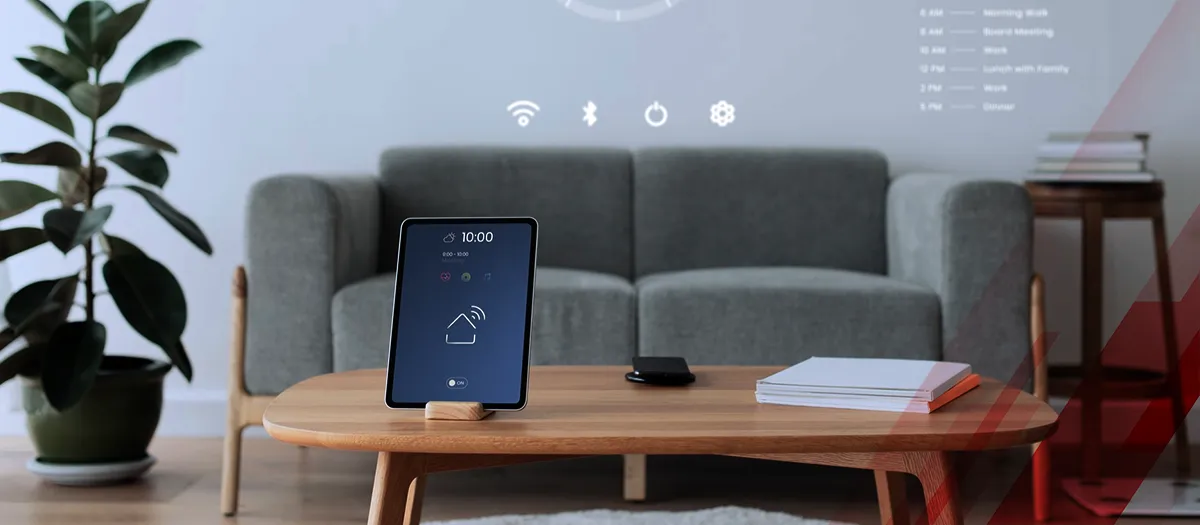
Smart homes are no longer a futuristic concept reserved for tech enthusiasts. Today, homeowners across the world are actively searching for practical ways to automate lighting, enhance home security, and control appliances with voice commands.
Reflecting this rapid adoption, according to Kings Research, the global smart home market is projected to reach a revenue of USD 851.90 billion by 2032. If you’ve been wondering how to set up a smart home system, you’re not alone. This is one of the most searched and practical questions among beginners entering the world of home automation.
This detailed guide will walk you through everything you need to know about how to set up a smart home system, from choosing the right ecosystem to installing smart devices and securing your network.
Understanding What a Smart Home System Really Is
Before diving into how to set up a smart home system, it’s important to understand what a smart home actually means. A smart home system connects devices such as lights, thermostats, security cameras, door locks, and appliances to a central platform. These devices communicate through Wi-Fi, Zigbee, Z-Wave, or Bluetooth, allowing you to control them remotely using a smartphone app or voice assistant.
A well-designed smart home system improves:
- Energy efficiency
- Home security
- Convenience
- Daily productivity
When learning how to set up a smart home system, think of it as building a digital ecosystem inside your house.
Step 1: Choose Your Smart Home Ecosystem
The first and most important step in understanding how to set up a smart home system is selecting a compatible ecosystem. This determines which devices will work together smoothly.
Popular smart home platforms include:
- Amazon Alexa ecosystem
- Google Home ecosystem
- Apple HomeKit
Each ecosystem supports smart lighting, smart thermostats, smart security cameras, and voice-controlled home automation devices.
How to Choose the Right Platform
Ask yourself:
- Do you already use an iPhone or Android phone?
- Do you prefer voice control?
- Do you want advanced automation routines?
- Are you planning a budget smart home setup?
For beginners learning how to set up a smart home system, it’s best to stick to one ecosystem to avoid compatibility issues.
Step 2: Start with a Strong Wi-Fi Network
A reliable internet connection is the backbone of any smart home system. If you are serious about how to set up a smart home system, upgrading your router should be a priority.
Why Wi-Fi Matters
Smart home devices depend on stable connectivity. Weak signals can cause:
- Device disconnections
- Delayed automation triggers
- Security vulnerabilities
Consider:
- A dual-band or tri-band router
- Mesh Wi-Fi systems for large homes
- Placing the router centrally
Without a stable network, even the best smart home devices won’t function efficiently.
Step 3: Begin with Essential Smart Devices
When researching how to set up a smart home system, many beginners make the mistake of buying too many devices at once. Instead, start small.
1. Smart Speaker or Hub
A smart speaker acts as the control center of your smart home system. Devices like:
allow you to manage lighting, thermostats, and routines through voice commands.
2. Smart Lighting
Smart bulbs are the easiest entry point when learning how to set up a smart home system. They allow:
- Remote on/off control
- Scheduling
- Brightness adjustment
- Energy savings
3. Smart Plugs
Smart plugs convert traditional appliances into smart devices. They are affordable and ideal for a budget smart home setup.
Step 4: Add Smart Home Security Devices
Security is one of the main reasons people search for how to set up a smart home system.
1. Smart Security Cameras
Devices like:
- Ring Video Doorbell
- Arlo Pro
provide real-time monitoring and motion alerts.
2. Smart Door Locks
Smart locks allow remote locking and unlocking, improving home security automation.
When adding security devices, always enable:
- Two-factor authentication
- Strong passwords
- Encrypted Wi-Fi networks
Security should never be compromised in your smart home system setup.
Step 5: Install Smart Thermostats for Energy Efficiency
If energy savings are your goal, understanding how to set up a smart home system must include climate control.
Smart thermostats learn your schedule and adjust temperatures automatically. This improves:
- Energy efficiency
- Monthly savings
- Comfort
Look for compatibility with your HVAC system before purchasing.
Step 6: Automate with Smart Home Routines
The real power of how to set up a smart home system lies in automation.
What Are Smart Routines?
Smart routines allow multiple devices to work together. For example:
- “Good Morning” routine: Lights turn on, thermostat adjusts, coffee machine starts.
- “Away Mode”: Lights turn off, security cameras activate, doors lock.
Automation transforms separate devices into a connected smart living system.
Step 7: Plan for Scalability
A smart home should grow with your needs. While learning how to set up a smart home system, choose devices that support future expansion.
Consider:
- Devices compatible with Matter protocol
- Cross-platform integrations
- Regular firmware updates
Scalable systems save money in the long run.
Common Mistakes to Avoid
When exploring how to set up a smart home system, avoid these common errors:
- Mixing incompatible brands without checking compatibility
- Ignoring Wi-Fi strength
- Overcomplicating automation in the beginning
- Skipping security configurations
A strategic approach ensures long-term success.
Cost of Setting Up a Smart Home System
The cost of learning how to set up a smart home system depends on your goals.
Basic Setup (Budget Smart Home)
- Smart speaker
- 3–4 smart bulbs
- 2 smart plugs
Estimated cost: Moderate and beginner-friendly.
Advanced Setup
- Smart thermostat
- Security cameras
- Smart locks
- Automation sensors
Higher upfront investment but long-term convenience and efficiency benefits.
Is It Worth Setting Up a Smart Home System?
Many homeowners hesitate before researching how to set up a smart home system, assuming it’s expensive or complicated. In reality:
- Installation is beginner-friendly
- Devices are more affordable than ever
- Energy savings offset costs
- Security improvements provide peace of mind
A thoughtfully built smart home system enhances daily living without overwhelming complexity.
Final Thoughts
If you’ve been searching for how to set up a smart home system, the key is to start small, focus on compatibility, and expand gradually. Begin with a smart speaker and lighting, strengthen your Wi-Fi network, and slowly integrate security and automation features.
A smart home system is not about filling your house with gadgets. It’s about building a connected environment that works for you, efficiently, securely, and intelligently. By following the steps outlined above, you can confidently begin your journey toward modern home automation and enjoy the convenience of a fully connected living space.